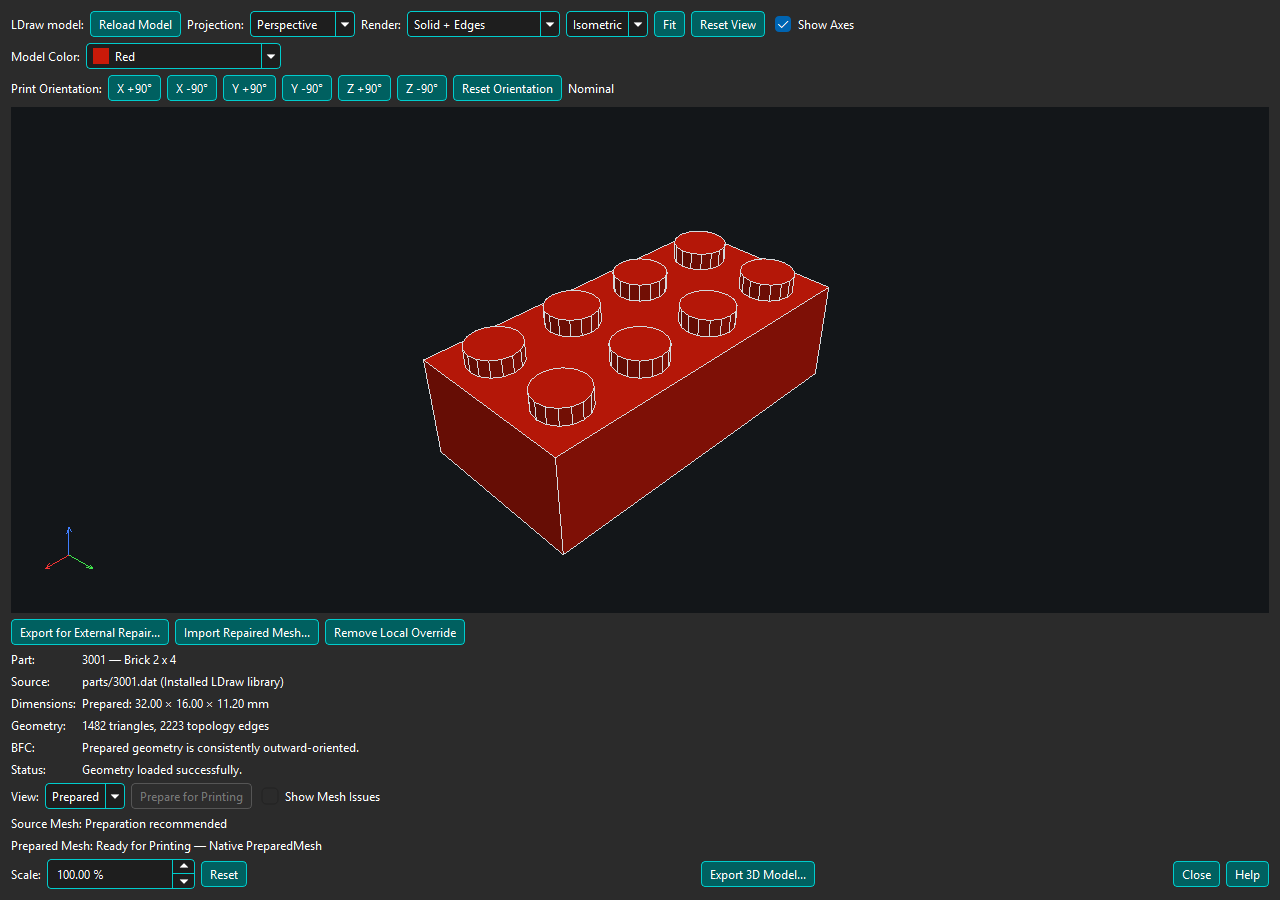
BrickSuite uses the installed LDraw parts library as the source for supported 3D model geometry. Configure its path in Edit → Settings → 3D Models. Source-dependent printing and calibration require the necessary LDraw files to be available. See LDraw 3D Models for setup details.
BrickSuite prepares supported LEGO geometry for 3D printing. Open an installed LDraw model, use Prepare for Printing, then export a native printable mesh when BrickSuite can safely prove one. Optional Verified Fit corrections derive from physical LEGO Fit Calibration evidence.
If native preparation fails safely, export for external repair, use your preferred mesh tool, and import the result for BrickSuite validation. A strictly validated or explicitly user-accepted nominal Local Printable Override can then use normal Prepared Mesh export. Repair never establishes semantic fit ownership; Experimental Auto Fit is separate and may reject an unproven mapping.
Inspect exports in your slicer before printing. Use F1 on printing controls for focused Help. Short hover explanations can be enabled or disabled in Edit → Settings → Appearance → Show explanatory tooltips.
3D Printing overview | Help Home
BrickSuite does not claim universal printability. Ready and Not Ready report the outcome of the supported validation path; difficult topology can remain Not Ready. See nominal and Verified Fit result meanings before choosing an export.