Generate Calibration Fixture... and Continue Calibration... create a complete package in a new, uniquely named folder under Documents/BrickSuite/Calibration Artifacts (or the platform's equivalent Documents folder). The 3MF and companion -session.json share the same filename base and directory. BrickSuite checks both before publishing the folder, then registers the managed session. A busy indicator covers generation and reports package-writing, verification, and registration stages. Complex fixtures can take several minutes; keep BrickSuite open until generation completes. The completed-files summary lists both paths and print instructions. Existing packages are never overwritten. Import Session / Package... continues to accept historical single-session JSON files.
Recommended Calibration Package generates one shared perpendicular fixture with four independent calibrations: Standard Stud outside diameter, Tube Wall Cell, Post Wall Cell, and Technic Axle Hole arm width v2. Existing family labels and candidate markers identify each zone. Custom Calibration Package lets you choose supported families, variants, and print orientations; unavailable prerequisites or installed sources are explained before generation. The summary shows how many calibrations and physical fixtures will be generated. Only the complete four-family core shares a fixture; additional selections receive separate fixtures. For example, the core plus Standard Bar produces five calibrations in two 3MF files.
Click Generate Calibration Package... to review the plan. Multi-family packages contain all printable fixtures, package-session.json, individual compatible session companions, and a recovery record. Keep the complete folder together when moving or reopening it. The busy dialog reports the current fixture and real publication/registration stages; complex fixtures can take several minutes. Calibration Package Ready lists the printable files and package companion. Inspect every fixture in your slicer at 100% scale, including intended orientation, family labels, and candidate identification.
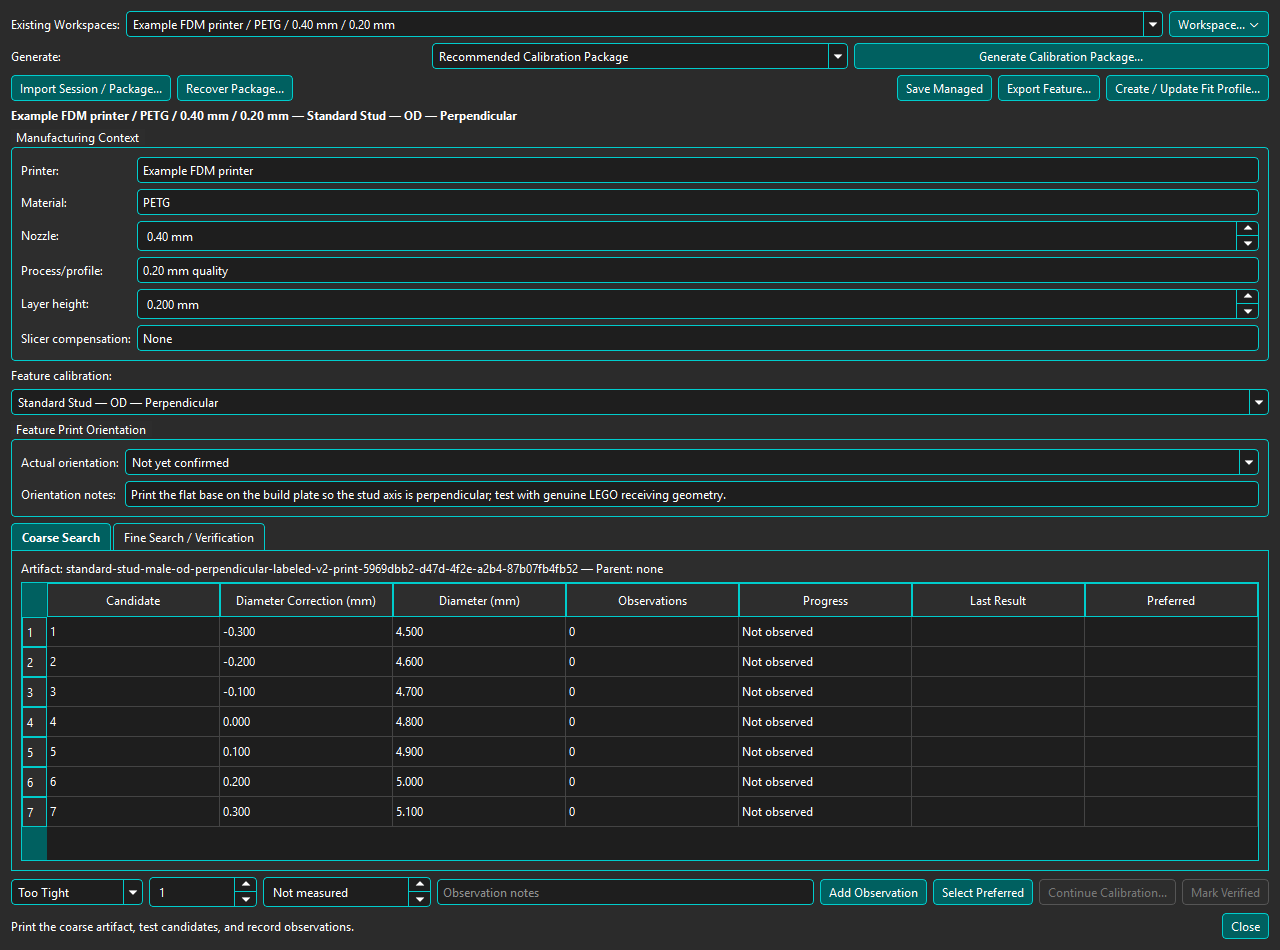
Use Import Session / Package... to open package-session.json, then choose an individual member in Feature calibration. Each member retains its own observations and verification; opening a package does not overwrite newer managed evidence. Continue Calibration... creates a child for only the selected feature, preserving lineage and leaving siblings unchanged. A package does not make any member Verified: actual orientation, physical observations, and explicit verification are still required. Compatible Verified members contribute to Fit Profiles under the same rules as single calibrations.
If publication succeeds but managed registration is interrupted, keep the complete package. Choose Recover Package... and select its publication.json or companion to retry registration, including after restarting BrickSuite. Recovery checks the package and preserves any newer managed observations; it does not regenerate the fixture or reset evidence. Temporary .pending-* folders are not completed packages. Print at 100% scale and record actual orientation, observations, and verification as before.
Fit Profiles remain managed evidence-backed records. For supported Parts, the export dialog can apply one explicitly, or Auto Fit can select the sole compatible Verified profile. BrickSuite transforms each recognized feature axis through the selected Print Orientation and applies only corrections verified for that resulting build-plate orientation; unmatched features remain nominal. A Standard Stud OD correction may apply by itself with nominal height. A Stud Height correction applies only with the matching Verified OD correction under which that height was physically tested. Certified open Standard Studs use the same evidence while preserving their inner bore. ManufacturingMesh is always a derived export artifact; Source and nominal Prepared geometry remain unchanged.
Auto Fit is off by default. When enabled, a supported production export uses a compensated ManufacturingMesh only when exactly one compatible managed Verified Fit Profile can be resolved. No match, an ambiguous match, or stale evidence leaves the nominal Prepared Mesh selected. Explicit per-export Fit Profile selection remains available.
Actual printed orientation and observations belong to each session, not to a package as a whole. A known intended orientation does not confirm the physical print. Follow LEGO Fit Calibration to record and verify evidence.
3D Printing overview | Help Home
A Verified Fit Profile does not imply that every feature on every model can be corrected. See nominal, Verified-zero, nonzero, partial, and failed printing outcomes.