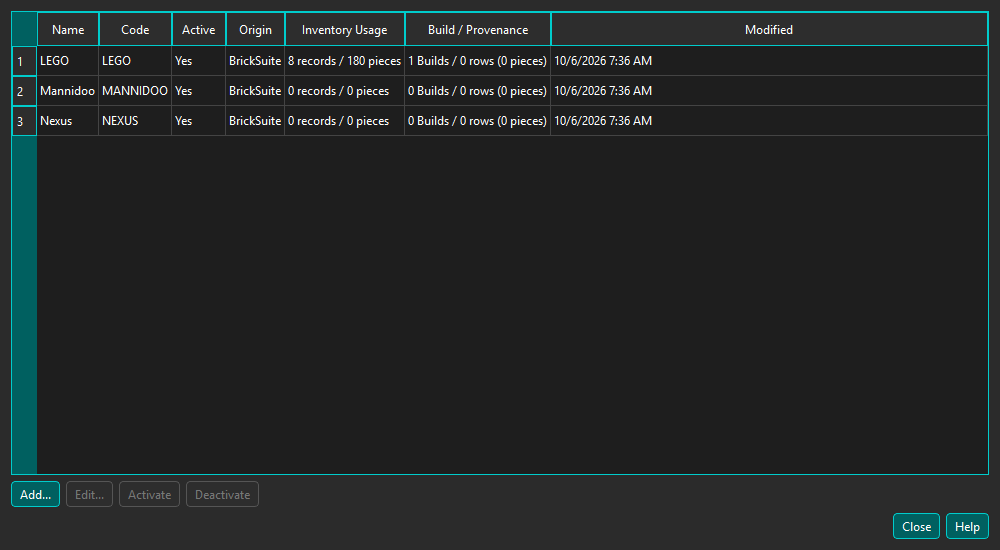
Choose Tools → Lists & Reference Data... to manage Manufacturers used by inventory and Builds.
Use Add to create a Manufacturer. Codes are normalized to uppercase; names and codes must be unique without regard to letter case. Select a user-created row and choose Edit to update its name, code, website, LEGO Element ID support, or notes.
Deactivation removes a Manufacturer from choices for new records. It does not delete the Manufacturer or alter inventory, Builds, or provenance already assigned to it. Referenced Manufacturers can be deactivated after reviewing and confirming the usage summary. Existing records remain readable, and editors retain an inactive current selection.
User Manufacturers can be edited, activated, and deactivated. BrickSuite and provider-owned entries are controlled by their source and are shown for information rather than manual editing.
Committed changes are reloaded into the My Inventory filter and Builds selector immediately. Newly opened inventory and Build dialogs also use the current list; restarting BrickSuite is not required.
Manufacturer describes physical provenance, not the provider that supplied catalog metadata. Storage locations themselves remain managed on the Storage tab.