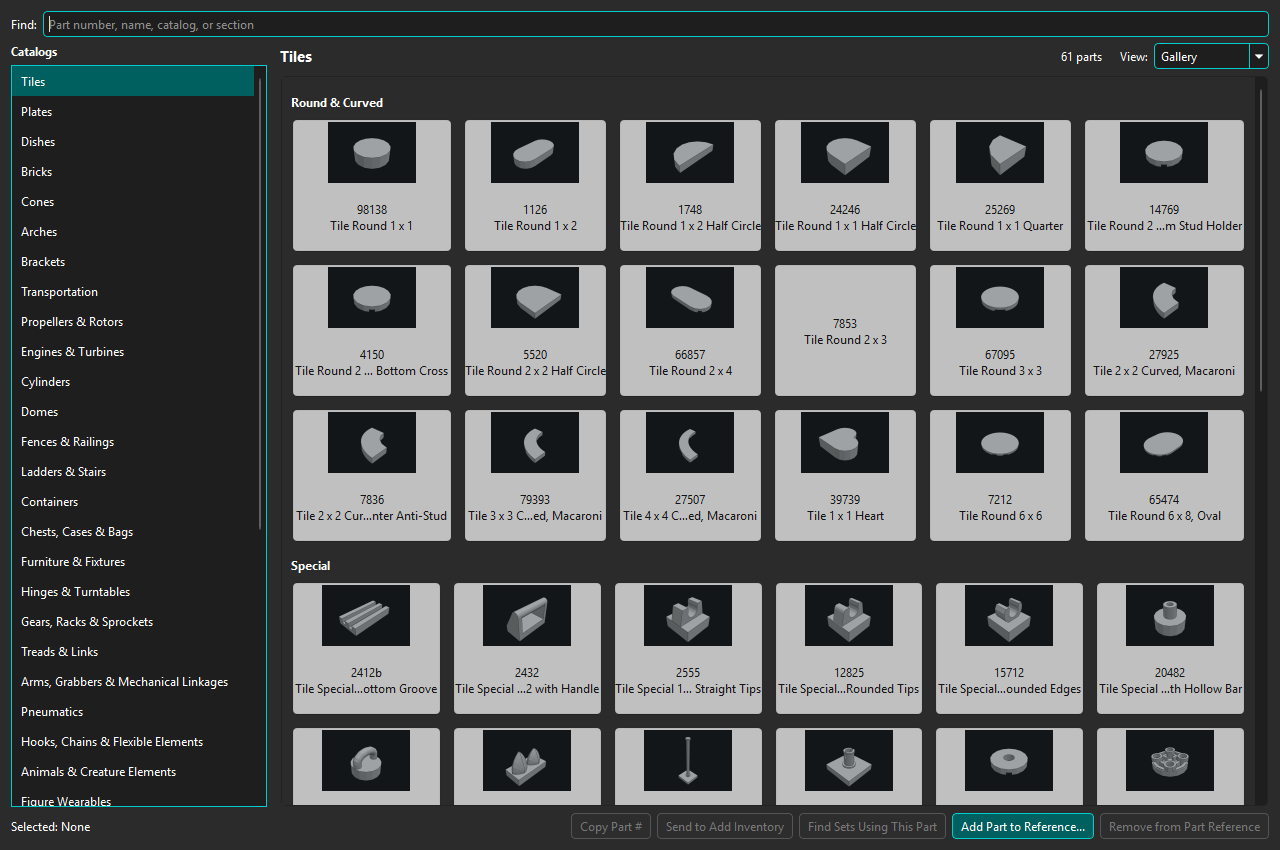
Open Tools → Part Reference... for a persistent, non-modal visual reference to common parts. The bundled manifest contains 2,985 entries organized into 38 catalog families.
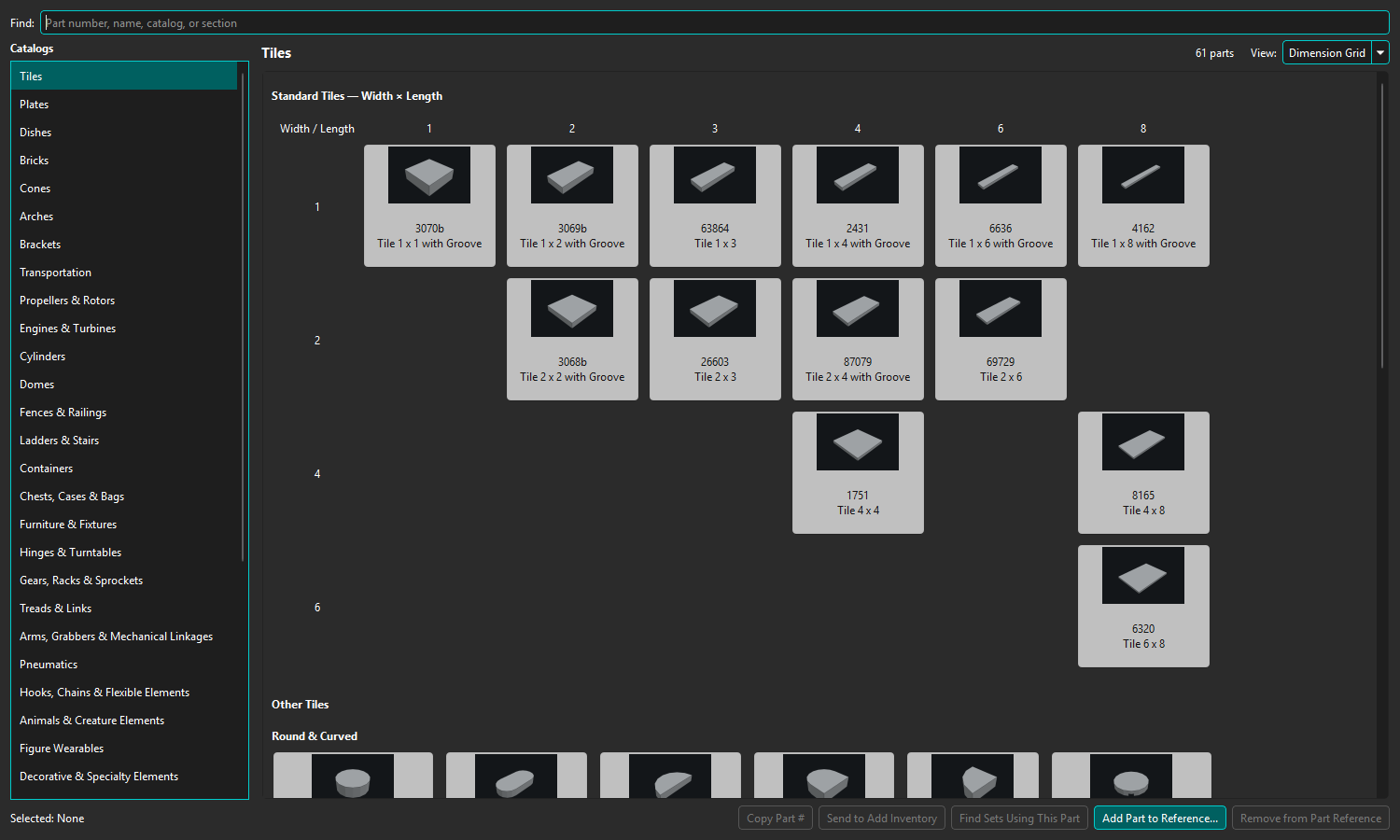
Select a catalog on the left. Gallery view groups cards by section. Supported families also offer Dimension Grid, arranging standard parts by dimensions; parts outside the grid remain available below it.
Gallery groups cards by section; Dimension Grid arranges supported standard parts by width and length.
Find searches Part number, name, catalog, and section. Reference images use the normal local cache and may be retrieved through Rebrickable when configured. Printed parts remain exact catalog identities rather than being reduced to an unprinted design.
Select a card to make its Part number active. Use Copy Part #, Send to Add Inventory, or Find Sets Using This Part. The latter opens Builds → What Can I Build? → Using Selected Parts and adds the canonical Part as an Any Color, quantity 1 criterion without running the search. Right-clicking a card selects that card before presenting the same commands.
Choose Add Part to Reference... here, or use Add to Part Reference... on a Parts Catalog row. Select an existing family and place the Part before or after an existing entry, or append it. A Part can appear in only one effective location. Built-in entries remain local and read-only.
Structured catalogs protect their dimension grids, so additions are appended in the catalog's Other gallery. Use Remove from Part Reference on a user-added card to remove only the customization; the catalog Part and inventory are unchanged.
When connected to a compatible BrickSuite Host, the Host stores user additions and removals so connected clients share the same customization overlay. A stale removal is rejected if the entry changed. If a connection interruption leaves the outcome unknown, retry the unchanged request safely. Custom catalogs, arbitrary reordering, and editing a saved customization are not currently supported.
The dialog can stay open while you work elsewhere in BrickSuite. Geometry, splitter position, selected catalog, and each catalog's Gallery/Dimension Grid choice are saved in application settings and restored after closing/reopening the dialog or restarting BrickSuite. Search text and the selected card are not saved for the next application session. F1 while Part Reference is active opens this topic.
Part Reference is curated navigation, not a second authoritative Parts Catalog. If a reference is unavailable in the local catalog, it cannot be added until the applicable catalog data is imported.